
Every feature,explained plainly.
From the first link to the last lesson. Every screenshot on this page is the real app.
More control over every download.
Start with a link. Choose exactly what you want to keep. GrabClip gives you control over the content, quality, format and details before the download begins.
- Link analysis
- Preview the title, source, duration and estimated file size before you download.
- Multiple sources
- Download from YouTube, Facebook, Instagram, TikTok and other supported sites. Availability can vary by site.
- Download modes
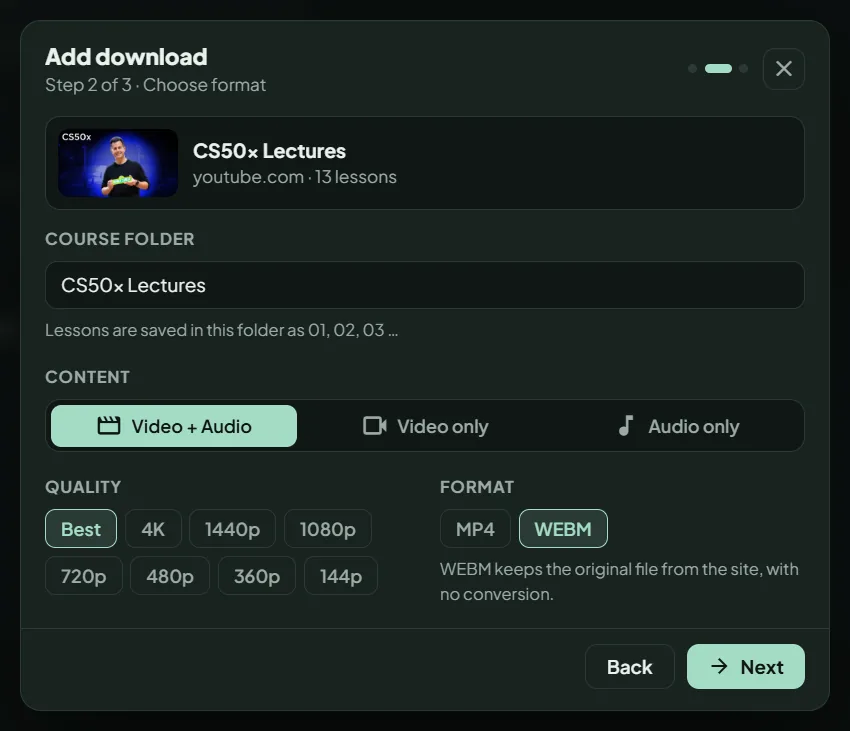
- Save video and audio, video only, or audio only.
- Video quality
- Choose Best, 4K, 1440p, 1080p, 720p, 480p, 360p or 144p where available.
- Audio formats
- Choose from Best, MP3, AAC, OPUS and FLAC where supported.
- Video format
- Keep the original WebM file from the site, or convert to MP4.
- Subtitles and metadata
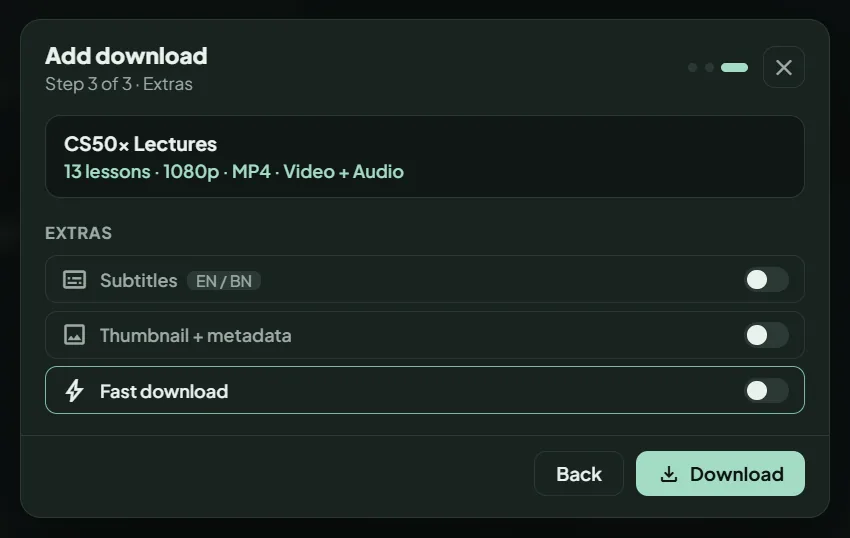
- Embed English or Bangla subtitles, the thumbnail and metadata where available.
- Partial downloads
- Save a chosen time range instead of the entire video.
- Batch processing
- Paste up to 50 links at once, or drag a link onto the app window.
- Course folders
- Turn a playlist into a folder with numbered lessons.
- Fast download
- A multi-connection mode for higher speed.
More downloads. Less babysitting.
Keep downloads moving without having to manage every step by hand.
- Automatic queue
- Let the next download begin when the current one finishes.
- Pause and resume
- Continue an interrupted download without starting over when the saved partial file can be reused.
- Saved queue
- Return to your waiting downloads after restarting the app.
- Night scheduler
- Set a start time and decide whether the PC should do nothing, sleep or shut down when the queue finishes.
- Study mode
- Limit the download speed to 500 KB/s, 1 MB/s or 2 MB/s to keep bandwidth for other work.
- Network retry
- Let GrabClip retry when the connection drops.
- Disk-space guard
- Pause before low storage makes a download fail halfway.
- Clipboard suggestions
- Get a suggestion when a link is waiting in your clipboard.
- Duplicate warning
- Catch a repeated link before you add it again.
- Monthly data counter
- Keep an eye on how much you download each month.
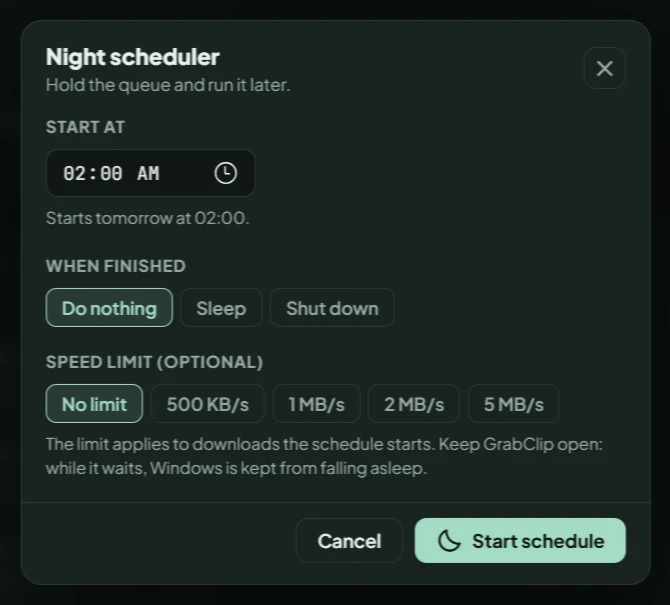
- ScheduleChoose when the queue should start.
- DownloadOptionally cap the speed while it runs.
- FinishDo nothing, sleep or shut down.
Every file has somewhere to go.
Downloads shouldn't disappear into a folder you'll never open again. Find files, organize courses and continue playback from one place.
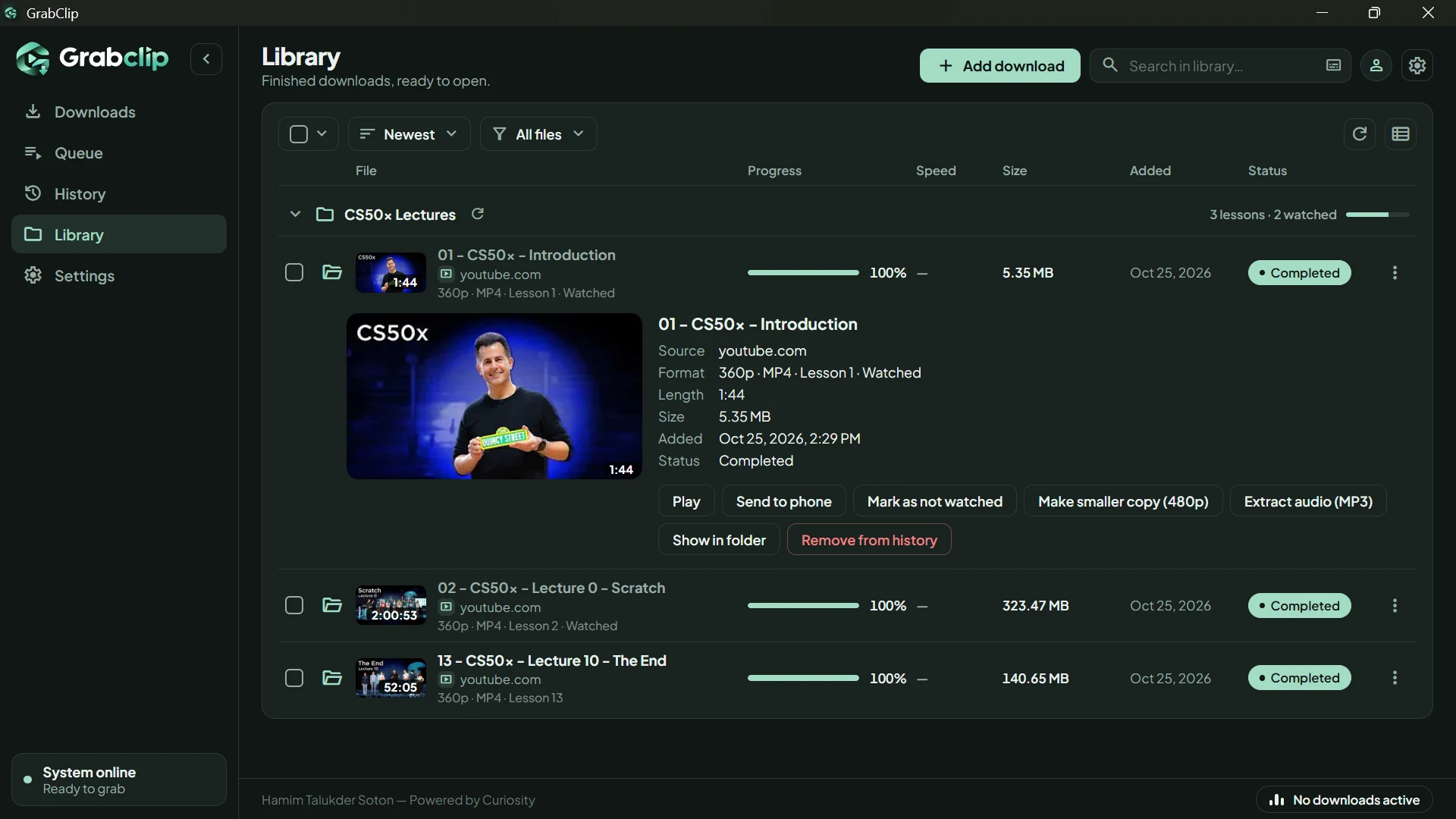
- Library management
- Browse Downloads, Queue, History and Library with search, sorting, filters and bulk actions.
- Organized courses
- Keep lessons in folders with watched marks.
- New lesson checks
- Check a playlist for new lessons and add only what is new.
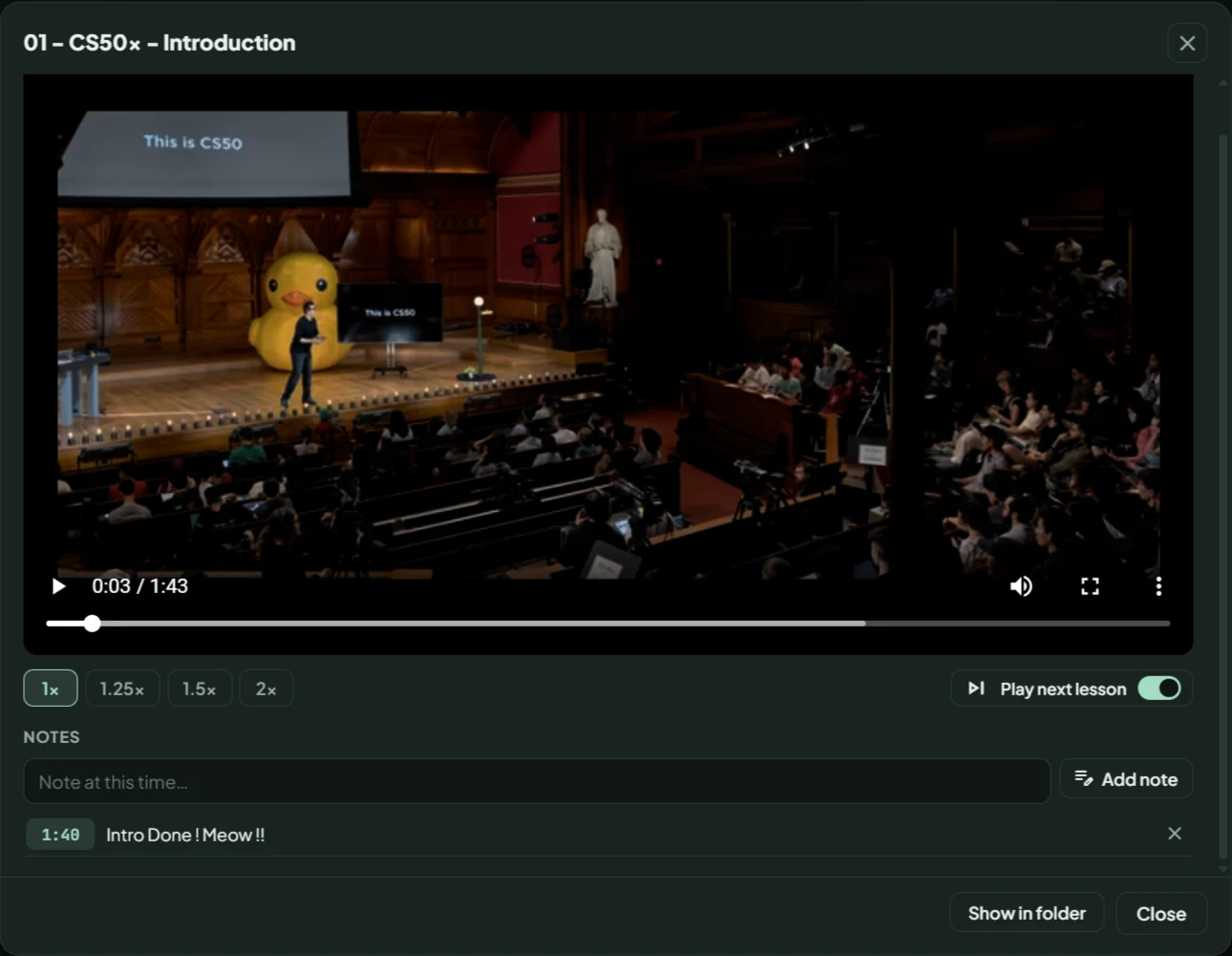
- Built-in playback
- Resume where you stopped, set the speed from 1x to 2x, add timestamped notes and play the next lesson.
- Subtitle search
- Find spoken words in videos that have subtitles and jump to that moment.
- Smaller copies
- Create a 480p copy from a finished video.
- Audio extraction
- Extract an MP3 from a completed download.
Your local library, a little more flexible.
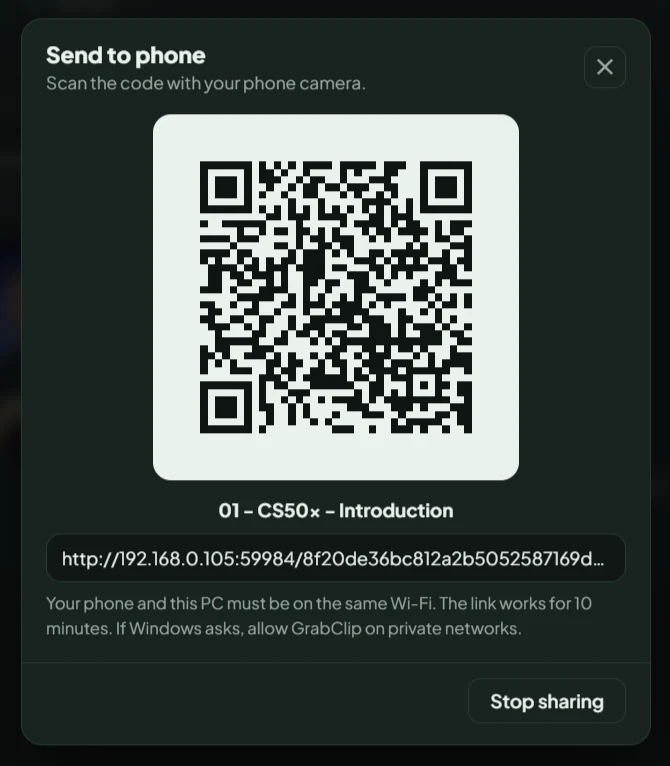
Use GrabClip's QR code to open a saved video on your phone over the same Wi-Fi network. Your phone and PC both need to be on that network, and Windows Firewall may ask you to allow GrabClip.
- Works on the same Wi-Fi only. It is not a way to share files over the internet.
- The link is private to that one file and stops working after 10 minutes, or when you press Stop sharing.
The essentials, already built in.
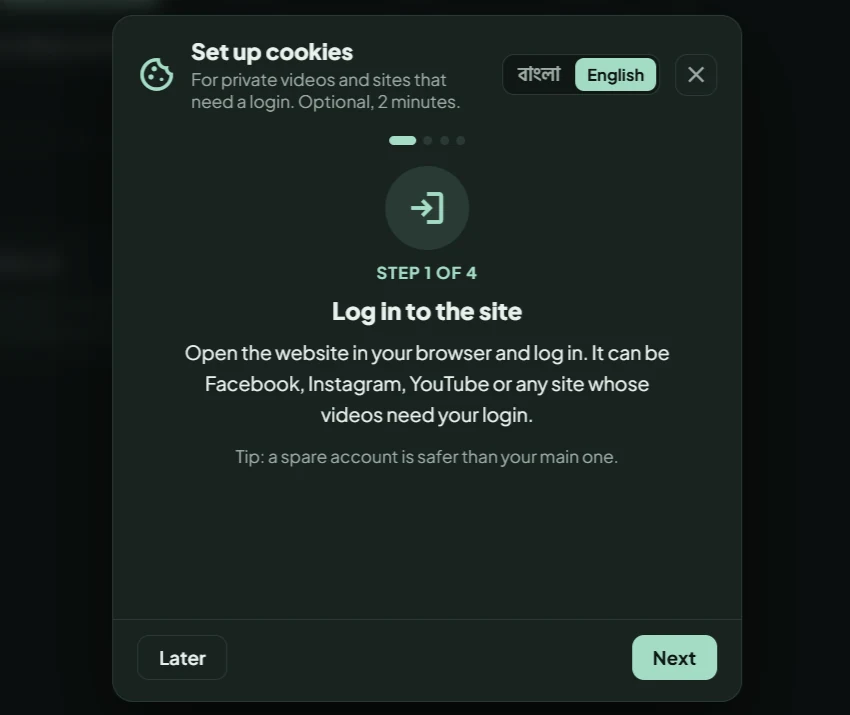
Keep the app maintained without hunting for separate tools. GrabClip includes update checks, a yt-dlp update option, a guided cookie setup in Bangla or English, Windows notifications, a system tray icon and help options. Its icons and fonts are bundled, so the interface looks right even offline.
General
Choose the output folder, switch notifications and the tray icon on or off, and decide about link suggestions.

Cookies
Import, replace or remove your cookies. Each site shows how many days of login are left.
Updates
Check for GrabClip updates and update yt-dlp.

Help
Send a report, or support the developer.

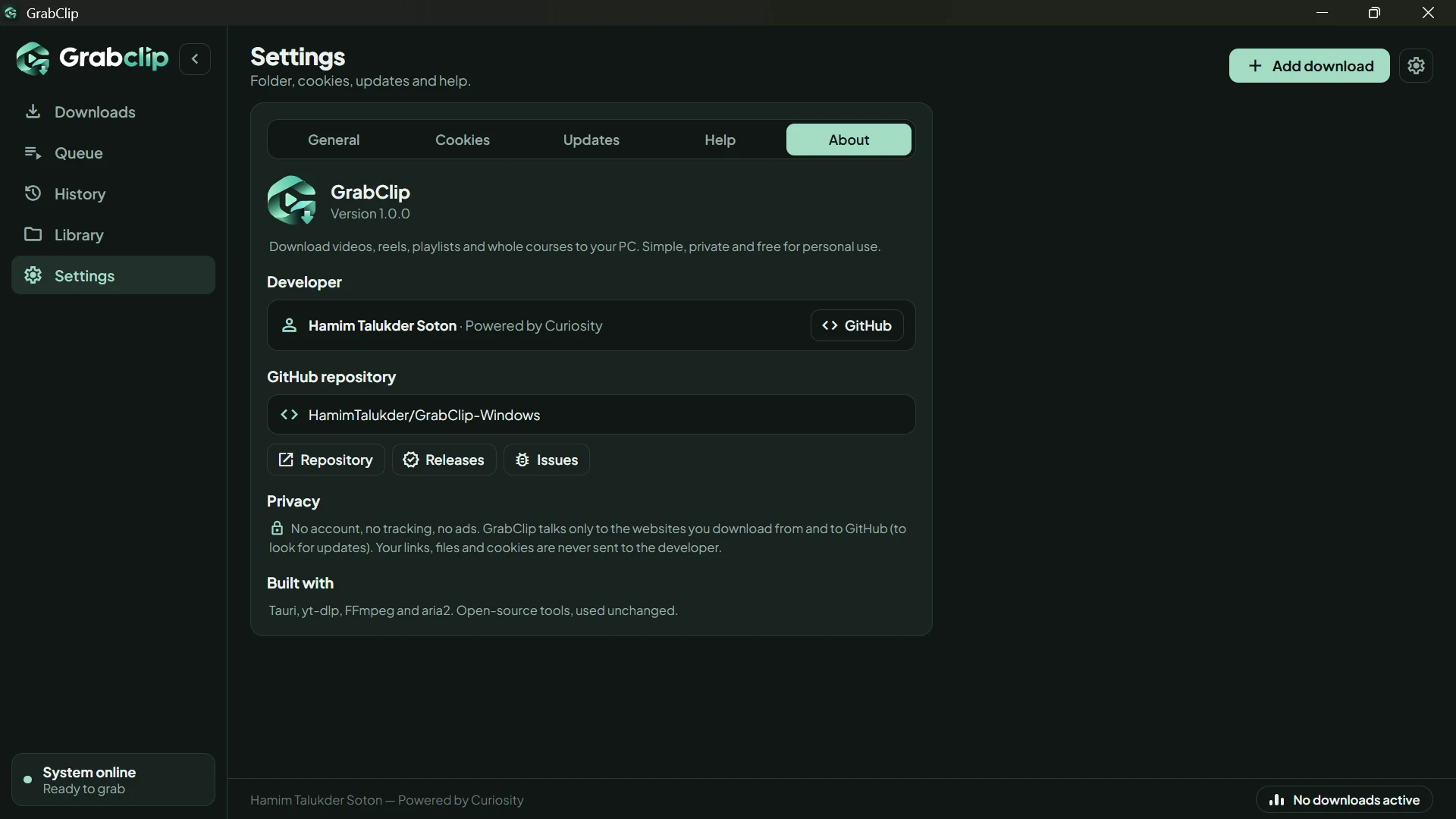
About
Version, developer, repository links and privacy.
Know what to expect.
We would rather you know the limits before you install than find them out afterwards.
- Designed for Windows 10 and Windows 11, 64-bit.
- macOS and Linux versions are not currently available.
- DRM-protected videos and torrents are not supported.
- Website support can change as the source websites change. Updating yt-dlp often fixes it.
- Download content you have the right to save, and respect copyright and the source site's terms.
Give your links a better place to go.
Download GrabClip for Windows and bring downloading, course organization and local playback together in one desktop app.
Windows 10 or 11, 64-bit. Free for personal use.